Public site
For LLMs and agents
This is the product, the docs, the blog, the privacy policy, and the terms as one markdown file. Copy it, or copy the link and let an agent fetch the file itself.
# Bugwalk
The public site in one file: the product, the docs, the blog, the privacy policy, and the terms.
An agent can fetch the same file at /llms.txt.
# Product
Bugwalk. Know why it broke.
An AI debug engineer finds why a customer got stuck and opens the pull request. You review it.
You review the diff. Nothing merges until you say so.
Pro is $39 · 3-day trial. The SDKs and the server are Apache 2.0. Self-hosting is coming soon.
- Home: https://bugwalk.app/
- Pricing: https://bugwalk.app/pricing
- Docs: https://bugwalk.app/docs
- Blog: https://bugwalk.app/blog
---
# Bugwalk documentation
The full public docs in one file, for an LLM or a coding agent. Pages follow the same order as the docs site.
Privacy: passwords, tokens, cookies, card numbers, and authorization headers are removed in the application before a batch is sent. Project, Privacy can name extra fields. Those are dropped on ingest and are not stored. See the Privacy page in this file.
# Introduction
Bugwalk keeps a person’s visit, then an AI debug engineer explains the failure from that visit and your code.
## What it does
A person uses your app. Bugwalk keeps the page views, clicks, requests, errors, and log lines from that visit, on one timeline, attached to the id or email you already have for them.
When something breaks, you open that timeline and run an investigation. The AI reads the visit and the repositories you connected, then writes what happened and which line failed. Every claim cites an event or a file and line. When the report qualifies, it opens a pull request with the fix, and you decide whether it merges.
> **Your code stays yours.** Bugwalk reads your events and your code. It never merges, and it never touches your database. Every fix is a pull request on its own branch.
## Quick start
Most people go from nothing to a first failure on the dashboard in a few minutes. These five steps are the whole path.
1. **Create an account and a project** — Sign in, then name the project after the app you want to watch. The project key appears on Setup.
2. **Install the SDK** — Run the wizard from your app, or paste the snippet for your framework from the Install page.
3. **Open your app once** — A page view is enough. Setup says Open the dashboard when the first event lands.
4. **Connect the GitHub repository** — This lets a report point at the exact line, and lets Bugwalk open a pull request.
5. **Run an investigation on a failure** — Open an issue or a session and press Run investigation. Review the pull request it opens.
## Parts of the app
After you sign in, the sidebar is the whole product. Pick a project at the top. Everything below it is that project.
### Overview
The last 24 hours: how many events, sessions, and people, the open issues, and the recent sessions.
### People
Search by the id or email you passed to identify() or forPerson(). Open a person to see their journey, then a session to read the log of that visit. A cron or queue run with no person stays on Overview, under recent sessions.
### Issues
Errors grouped by cause. Filter them, open one, and run an investigation on the group rather than on a single visit.
### Setup and settings
Project, Setup is where you connect a repository and install the SDK. New projects are created from the project menu, including the repositories to link. Account, in the profile menu, is the plan. Project, Usage shows what this period has used.
---
# Projects
A project is one app. This is how you add one, and what the project key is for.
## What a project is
A project is one app you are watching. The frontend and the backend of that app share it, so a click and the request it caused land on the same timeline.
A second app gets a second project. Staging and production can be two projects, or one project with an environment on each event. The environment is a label the SDK sends, such as production or staging. It does not create a new project.
## Add the first project
Sign in and open Setup. If the workspace has no project yet, that page asks for a name before anything else.
1. **Name it** — Use the name of the app. You can change which project you are looking at later. You cannot rename it from this screen.
2. **Create the project** — You land on Setup for that project. The first card is the GitHub repository. The install command is under it.
3. **Copy the project key** — The key is on the same page. It is safe in a browser bundle. It can only write events for this project.
## Add another project
Open the project menu in the sidebar and choose New project. That is the same name form. After you create it, Setup is for the new project, including its own repository. Connecting a second app does not replace the first.
## The project key
Every batch the SDK sends carries the project key, which is how an event is filed under the right app. Frontend and backend of the same app use the same key. Two apps do not.
The key is not a secret for reading data. Anyone with it can write events into the project. They cannot read timelines or run investigations with it.
---
# Install
Install by framework, paste the project key, send the first event, then name the person.
## Run the wizard
In the app you want to watch, run the wizard. It finds the framework, installs the package, and writes the project key from Setup.
The wizard opens a browser tab so you can approve the terminal. Approve it, go back to the terminal, and let it finish. If you would rather paste, use the snippets below. They are the same edits the wizard makes.
1. **From the app you want to watch** — `npx @bugwalk/wizard`
2. **Replace the project key** — Every snippet uses YOUR_PROJECT_KEY. Copy the real key from Setup and paste it in place of that string.
## Frontend integrations
Install the package, drop the project key in, and wrap or register the SDK once at startup. Use the same key on the backend half of the app.
### Angular (TypeScript, frontend)
No paste snippet in docs yet. Run `npx @bugwalk/wizard` in the repo; it detects the stack and writes files.
Install hint:
```
npx @bugwalk/wizard
```
### Next.js (TypeScript, frontend)
Install:
```
npm install @bugwalk/next
```
Add to `app/layout.tsx`:
```
import { BugwalkProvider } from '@bugwalk/next';
export default function RootLayout({ children }: { children: React.ReactNode }) {
return (
<html lang="en">
<body>
<BugwalkProvider dsn="YOUR_PROJECT_KEY">{children}</BugwalkProvider>
</body>
</html>
);
}
```
### Nuxt (TypeScript, frontend)
No paste snippet in docs yet. Run `npx @bugwalk/wizard` in the repo; it detects the stack and writes files.
Install hint:
```
npx @bugwalk/wizard
```
### React (TypeScript, frontend)
Install:
```
npm install @bugwalk/react
```
Add to `src/main.tsx`:
```
import { BugwalkProvider } from '@bugwalk/react';
createRoot(document.getElementById('root')!).render(
<BugwalkProvider dsn="YOUR_PROJECT_KEY">
<App />
</BugwalkProvider>,
);
```
### Script tag (HTML, frontend)
Install:
```
<script src="https://cdn.bugwalk.app/v1.js" data-dsn="YOUR_PROJECT_KEY" async></script>
```
Add to `index.html`:
```
<script src="https://cdn.bugwalk.app/v1.js" data-dsn="YOUR_PROJECT_KEY" async></script>
```
### SvelteKit (TypeScript, frontend)
No paste snippet in docs yet. Run `npx @bugwalk/wizard` in the repo; it detects the stack and writes files.
Install hint:
```
npx @bugwalk/wizard
```
### Vue (TypeScript, frontend)
Install:
```
npm install @bugwalk/vue
```
Add to `src/main.ts`:
```
import { bugwalk } from '@bugwalk/vue';
createApp(App).use(bugwalk, { dsn: 'YOUR_PROJECT_KEY' }).mount('#app');
```
## Backend integrations
Register middleware or a module before your routes. Requests from an identified browser session attach to the same person automatically.
### Django (Python, backend)
Install:
```
pip install "bugwalk-sdk[django]"
```
Add to `settings.py`:
```
BUGWALK_DSN = "YOUR_PROJECT_KEY"
MIDDLEWARE = [
"bugwalk.django.BugwalkMiddleware",
*MIDDLEWARE,
]
```
### Echo (Go, backend)
No paste snippet in docs yet. Run `npx @bugwalk/wizard` in the repo; it detects the stack and writes files.
Install hint:
```
go get github.com/bugwalk-dev/bugwalk/sdks/go/echo
```
### Express (TypeScript, backend)
Install:
```
npm install @bugwalk/express
```
Add to `src/server.ts`:
```
import {
bugwalkErrorHandler,
bugwalkMiddleware,
identify,
} from '@bugwalk/express';
const app = express();
app.use(bugwalkMiddleware({ dsn: 'YOUR_PROJECT_KEY' }));
// After sign-in, in the handler: identify({ id: user.id, email: user.email });
// ... routes ...
app.use(bugwalkErrorHandler());
```
### FastAPI (Python, backend)
Install:
```
pip install "bugwalk-sdk[fastapi]"
```
Add to `main.py`:
```
from bugwalk.fastapi import BugwalkMiddleware
app.add_middleware(BugwalkMiddleware, dsn="YOUR_PROJECT_KEY")
```
### Fastify (TypeScript, backend)
Install:
```
npm install @bugwalk/fastify
```
Add to `src/server.ts`:
```
import { bugwalkPlugin } from '@bugwalk/fastify';
const app = fastify();
await app.register(bugwalkPlugin, { dsn: 'YOUR_PROJECT_KEY' });
```
### Flask (Python, backend)
No paste snippet in docs yet. Run `npx @bugwalk/wizard` in the repo; it detects the stack and writes files.
Install hint:
```
pip install "bugwalk-sdk[flask]"
```
### Gin (Go, backend)
Install:
```
go get github.com/bugwalk-dev/bugwalk/sdks/go/gin
```
Add to `main.go`:
```
import bugwalkgin "github.com/bugwalk-dev/bugwalk/sdks/go/gin"
router.Use(bugwalkgin.Middleware("YOUR_PROJECT_KEY"))
```
### Hono (TypeScript, backend)
No paste snippet in docs yet. Run `npx @bugwalk/wizard` in the repo; it detects the stack and writes files.
Install hint:
```
npx @bugwalk/wizard
```
### Koa (TypeScript, backend)
No paste snippet in docs yet. Run `npx @bugwalk/wizard` in the repo; it detects the stack and writes files.
Install hint:
```
npx @bugwalk/wizard
```
### NestJS (TypeScript, backend)
Install:
```
npm install @bugwalk/nestjs
```
Add to `src/app.module.ts`:
```
import { BugwalkModule } from '@bugwalk/nestjs';
@Module({
imports: [BugwalkModule.forRoot({ dsn: 'YOUR_PROJECT_KEY' })],
})
export class AppModule {}
```
### net/http (Go, backend)
No paste snippet in docs yet. Run `npx @bugwalk/wizard` in the repo; it detects the stack and writes files.
Install hint:
```
go get github.com/bugwalk-dev/bugwalk/sdks/go
```
## Use the exports each package ships
Packages do not all export a default bugwalk object. Express ships bugwalkMiddleware and bugwalkErrorHandler — register middleware before routes and the error handler after routes, then call identify from @bugwalk/express in sign-in handlers. Calling app.use(bugwalk({ dsn })) throws because that export does not exist.
Next.js and React ship BugwalkProvider, useIdentify, and a named identify function. After sign-in, use useIdentify(user) in a client component or import { identify } and call it once you know the id or email. Do not dynamic-import { bugwalk } from @bugwalk/next; there is no bugwalk.identify on that path.
Fastify uses bugwalkPlugin. Vue uses the bugwalk plugin with app.use(bugwalk, { dsn }). The script tag CDN uses the global Bugwalk.identify — that shape is only for the CDN, not for npm imports.
When in doubt, open the installed package’s index.d.ts or match the snippets on this page before writing imports.
## Java, .NET, Ruby, and PHP
No Bugwalk package goes into those services. Point the OpenTelemetry agent you already run at Bugwalk and send the project key in a header.
### Java, .NET, Ruby, and PHP (OpenTelemetry, otel)
Install:
```
OTEL_EXPORTER_OTLP_ENDPOINT=https://api.bugwalk.app
```
Add to `environment`:
```
OTEL_EXPORTER_OTLP_ENDPOINT=https://api.bugwalk.app
OTEL_EXPORTER_OTLP_HEADERS=x-bugwalk-key=YOUR_PROJECT_KEY
```
## How the first event arrives
You do not click a button to send the first event. The SDK sends a batch in the background after the app starts. A page view is usually enough.
Setup polls every few seconds. While it is waiting, the corner says Waiting for the first event. When a batch lands, that becomes Open the dashboard. The first page view is often there within a few seconds of the app starting.
If nothing arrives, the app is not running, the project key is a different project, or the request never left the browser. The key on the Setup page has to be the one in the snippet.
## Name the person
Events record even if you never say who they belong to. They show up on Overview as sessions. They do not show up under People, and they are not a journey, until you call identify().
Call it once you know the id or email, usually right after sign-in. Events before and after that call join the same person, including requests the backend made during the visit.
People shows the email when you sent one, otherwise the id. Search accepts either, including a partial email.
### identify()
- Call once you know who the person is. useIdentify skips work while user is undefined.
```
import { useIdentify } from '@bugwalk/next';
export function HomePage({ user }: { user?: { id: string; email?: string } }) {
useIdentify(user ? { id: user.id, email: user.email } : undefined);
}
```
- Imperative call in an event handler. Import identify from the same package you installed.
```
import { identify } from '@bugwalk/next';
async function onLoginSuccess(user: { id: string; email: string }) {
identify({ id: user.id, email: user.email });
}
```
- End the Bugwalk visit when auth clears so the next sign-in gets a new session id. Required for shared-browser / multi-user SPAs.
```
import { resetSession } from '@bugwalk/next';
async function onLogout() {
await fetch('/api/logout', { method: 'POST' });
resetSession();
setUser(null);
}
```
- After the person is authenticated on the server.
```
import { identify } from '@bugwalk/express';
app.post('/api/login', (req, res) => {
// ... validate credentials ...
identify({ id: user.id, email: user.email });
res.json({ token, user });
});
```
- Only when using the script tag / Bugwalk global, not npm packages.
```
Bugwalk.identify({ id: user.id, email: user.email });
```
- When you have an internal id but no email yet.
```
identify({ id: user.id });
```
- When email is what support already has.
```
identify({ email: user.email });
```
## Sign out
Clearing your app session does not end the Bugwalk visit. The browser keeps the same session id until you call resetSession() from @bugwalk/next or @bugwalk/react in the same handler where you drop the token or user.
useIdentify with no user does not rotate that id. If someone else signs in on the same tab without resetSession(), API calls still send the old x-bugwalk-session header and ingest keeps the first person linked to that session.
Backend identify on login only names the person for that request. The client still owns when a new visit starts.
## Background work
A cron, a queue message, a webhook, or a script answers two questions, and either one can be left out. What is the work? Pass a stable id and a kind: cron, queue, or task. Who is it for? Pass the same id or email you would pass to identify().
withWork names the run and starts a new session. forPerson attributes one iteration to a person, then clears that person so the next iteration does not inherit them. Call forPerson inside withWork when the job runs for many people. Call forPerson alone when the work is for one person and has no job name.
A run with no person shows on Overview as a session. It does not show under People. A run that calls forPerson shows each person under People, the same way a signed-in visit does. An error is still an issue. It names the person when one was set, and it keeps the job when the run was named.
Leave identify() for web requests. Calling it with an id such as cron:daily-digest files that string under People.
### withWork and forPerson
- Nobody owns this run. It shows on Overview as a session. It does not show under People.
```
import { withWork } from '@bugwalk/node';
await withWork({ id: 'temp-cleanup', kind: 'cron' }, async () => {
await deleteOldFiles();
});
```
- The job is the whole run. forPerson uses the same id and email as identify(), on that person’s own session, then clears them.
```
import { forPerson, withWork } from '@bugwalk/node';
await withWork({ id: 'daily-digest', kind: 'cron' }, async () => {
for (const person of people) {
await forPerson({ id: person.id, email: person.email }, async () => {
await sendDigest(person);
});
}
});
```
- kind is queue. The person is still forPerson, not a fake identify() id.
```
await withWork({ id: 'process-order', kind: 'queue' }, async () => {
await forPerson({ id: message.personId }, async () => {
await fulfill(message);
});
});
```
- An invoice, a webhook, or a retry. forPerson alone puts them under People. Add withWork with kind task when you also want a name on the run.
```
await forPerson({ id: person.id, email: person.email }, async () => {
await sendInvoice(person);
});
await withWork({ id: 'send-invoice', kind: 'task' }, async () => {
await forPerson({ id: person.id }, () => sendInvoice(person));
});
```
- @Cron sits above @BugwalkJob so the scheduler calls the wrapped method. The decorator does not walk the list. The loop calls forPerson.
```
import { BugwalkJob, forPerson } from '@bugwalk/nestjs';
@Cron('0 2 * * *')
@BugwalkJob({ id: 'daily-digest', kind: 'cron' })
async sendDigests() {
for (const person of await this.people.due()) {
await forPerson({ id: person.id, email: person.email }, () => this.mailer.send(person));
}
}
```
- with_work and for_person. The person does not stick to the process.
```
def send(person):
bugwalk_sdk.capture("digest_sent")
def run(_run):
for person in people:
bugwalk_sdk.for_person(
lambda person=person: send(person),
id=person["id"],
email=person["email"],
)
bugwalk_sdk.with_work(run, id="daily-digest", kind="cron")
```
- Pass the context into Capture. Identify on the client would leak across goroutines.
```
err := bugwalk.WithWork(ctx, bugwalk.Work{ID: "daily-digest", Kind: "cron"}, func(ctx context.Context, _ bugwalk.Run) error {
for _, person := range people {
if err := bugwalk.ForPerson(ctx, bugwalk.Person{ID: person.ID, Email: person.Email}, func(ctx context.Context) error {
return sendDigest(ctx, person)
}); err != nil {
return err
}
}
return nil
})
```
OpenTelemetry: set `bugwalk.job.id` and `bugwalk.job.runner` (`cron`, `queue`, or `task`) on the span. Person attributes stay as they are. One span per person matches one `forPerson` call.
---
# GitHub
Why a project has a repository, and how to connect it.
## Why you connect a repository
An investigation can describe a timeline with no code at all. It can point at a line only if it can read the code that was deployed.
That code belongs to one app, so the connection belongs to the project, not to the whole workspace. The agent reads the commit your release reported. It does not read whatever is on the default branch today, unless that is all it has.
## Connect it during setup
After you name a project, Setup opens with the repository card first. You can skip it and send events anyway. Come back when you want a report to cite a line.
1. **Connect GitHub** — This installs the Bugwalk GitHub App on the accounts you choose. You pick the repositories it may see. Bugwalk can pull those repositories, run their tests, create one branch, and open a pull request. It cannot push to the default branch, comment, merge, or write to your database.
2. **Pick the repository for this project** — The list is what that installation can reach. Connect is per project. Switch projects in the sidebar to connect a different repository.
3. **Set the release** — In the build, set BUGWALK_RELEASE to the commit SHA. Project, Repositories lists releases and shows the short SHA, or No commit when the release could not be placed.
## What access looks like
Access is through the GitHub App, and only on the repositories you grant. Uninstalling the app revokes it. A qualifying report can open a pull request on its own within the monthly allowance. After that allowance is used, a member can ask from the report. Merging stays theirs. Bugwalk cannot push to the default branch, comment, or write to your database.
You can disconnect a repository from the same card, on Project, Setup or Project, Repositories. Pro includes one connected repository. Team includes as many as you have projects for.
---
# Events
One recorded thing. This is the line on a timeline, and the unit a plan counts.
## What an event is
An event is one recorded thing: a page view, a click, an HTTP request, an error, or a log line. A typical session is 20 to 60 events.
The browser SDK records what happened in the page. The server SDK records the requests that page made. Both use the same project key, which is why they share a timeline. Passwords, tokens, cookies, card numbers, and authorization headers are removed inside your app, before the batch leaves the process. The privacy page lists every rule, and Project, Privacy is where you name extra fields to drop.
## What the timeline shows
Open a session. Each row is an event, in order, with the time. A web badge is the browser. An api badge is the server. A failing row is marked. Click a row to open the raw payload.
That timeline is the log. There is not a second log viewer. Search finds the person or the issue. The timeline is where you read what they hit.
## What a plan counts
Plans count events per month and keep them for a set number of days. An event with no person still counts. Skipping identify() does not skip the bill. It only means the event is not on a journey.
---
# Privacy
How passwords, tokens, and other secrets in a request are kept out of a timeline.
## Removed before it leaves your app
Redaction runs inside your process, before an event is queued. A value that matches a rule below never reaches Bugwalk, so it cannot leak from storage: we never received it. The rules cannot be turned off. You can add names on top of them. You cannot subtract.
Email addresses are kept. Naming a person by email is the point of identify(), and People search uses it.
## Headers that are dropped
These headers are removed from the request and the response. They are not replaced with a mask, because a mask would still show that the header was there. Matching ignores case.
`authorization`, `proxy-authorization`, `cookie`, `set-cookie`, `x-api-key`, `x-auth-token`, `x-csrf-token`, `x-xsrf-token`, and `x-bugwalk-key`.
## Field names that are dropped
Names are normalised first: lowercased, with spaces, hyphens, and underscores removed. `user_password`, `userPassword`, and `USER-PASSWORD` are the same field. The field is removed at every depth of a body, including inside arrays.
A long, unambiguous name is dropped when it appears anywhere in the field name: `password`, `passwd`, `secret`, `credential`, `apikey`, `accesstoken`, `refreshtoken`, `idtoken`, `authtoken`, `bearertoken`, `sessiontoken`, `authorization`, `privatekey`, `clientsecret`, `creditcard`, `cardnumber`, `securitycode`, `aadhaar`, and `passport`.
A short name is dropped only when the whole field is that name, so `pan` does not delete company and `ssn` does not delete classname: `token`, `key`, `ssn`, `pan`, `cvv`, `cvc`, `pin`, and `otp`.
On a URL, the parameter stays and the value becomes [redacted]. Removing the parameter would change the shape of the URL, and issues group on that shape.
## Values that are replaced
Every remaining string is scanned. A match is replaced in place and the rest of the string stays, so a log line can still be read.
A PEM private key becomes [redacted:key]. A JWT (a string starting with eyJ and two more segments) becomes [redacted:jwt]. Known token prefixes, including sk_live_, sk_test_, ghp_, gho_, github_pat_, xoxb-, and AKIA, become [redacted:token]. A 13 to 19 digit number that passes the Luhn check becomes [redacted:card], which is what leaves order numbers and timestamps alone. An Indian PAN becomes [redacted:pan]. A grouped Aadhaar number becomes [redacted:aadhaar].
## What is never read
No SDK reads form field values, other than the visible text of a clicked button or link. It does not read `localStorage`, `sessionStorage`, `IndexedDB`, keystrokes, or environment variables. Request bodies on `GET` and `HEAD` are not captured.
Request and response bodies are captured only when the app opts in with captureBodies: true, only for JSON, and only up to 8 KB. The same field rules still apply.
## Fields you choose not to keep
Project, Privacy takes extra field names, one per line. Those names are dropped from request and response bodies, headers, query values, and person traits before the event is stored. The same list applies to OpenTelemetry attributes, matching the attribute key or its last segment.
`account_number` and `accountNumber` are one entry. The list does not turn off the rules above. A name you add is extra. Clearing the list goes back to the built-in rules only.
beforeSend still runs in your app, after the built-in rules and before the batch is sent. Return null from it to drop an event entirely.
## Requests you choose not to track
Health checks, metrics, and endpoints your own tools poll fill a timeline and count against your plan. Project, Privacy, Requests to ignore takes a path for each. A request to an ignored path is not stored and does not count.
A path matches one part with `*` or `:id`, and any number of parts with `**`. A `*` inside a part matches any text within it, so `/static/*.js` matches `/static/app.js` but not `/static/a/app.js`. `/health` matches that one path. `/orders/*` matches `/orders/123`. `**/order/**` matches `/order`, `/v1/order/42`, and `/a/b/order/c/d`. The query string is ignored, a trailing slash does not matter, and case does.
A path is checked as the request came in (`/orders/123`) and as your framework names the route (`/orders/:id`). Either one is enough. A browser knows only the first, so use `*` there.
A rule can be limited to some methods. By default it drops the request and keeps errors raised on that path, so a health check that starts failing still reaches you. Turn on Ignore errors too to drop those as well.
The SDK reads the list when it starts and again every few minutes, so excluded requests stop leaving your app. Until it has, and for an older SDK or an OpenTelemetry service, we drop them when they arrive. Requests stored before you added a path are kept. Copy from another project adds that project’s paths to this one without removing yours.
You can also set paths in code, with the `ignorePaths` option. The two lists are combined. Both apply to the same patterns.
---
# Search
How to find a person, a visit, and the log of what they hit.
## Search by person
Open People. The box searches the id and the email you passed to identify(). Partial matches work. A blank box lists people already seen.
If the list is empty and events are arriving, identify() or forPerson() has not been called. Those events are still on Overview, under recent sessions, without a name. That includes a cron or queue that did not name a person.
1. **Open People** — Search for the id or a part of the email.
2. **Open the person** — The page is their journey: every session, newest first, with the event count, release, and environment.
3. **Open a session** — The timeline is the log of that visit. Run investigation is on the same page.
## Search errors
Issues is the list of errors grouped by cause, newest activity first. Filter by All, Open, Regressed, Resolved, or Ignored. Each row shows the route, how many people were affected, how many events, and when it was last seen.
Open an issue for a sample event, the people who hit it, and Run investigation. Mark resolved, reopen, or ignore from that page. Resolved means you consider it fixed. Ignored hides it from the open list. Regressed means it came back after it was resolved.
## The last 24 hours
Overview does not take a search query. It is the recent picture: event count, sessions, people, open issues, and the latest sessions. Use it when you do not have an email yet and want to see what just arrived, including the first events from a new install.
---
# Journeys
Everything one person has done, across every visit, on one list.
## What a journey is
A journey is one person, across all of their sessions. It is the list you open from People: when they first showed up, how many visits, and each visit in order.
A session is one continuous visit. A new session starts after 30 minutes with no events. A journey is those visits stacked, so you can see that checkout failed today and also failed last Tuesday.
## How one starts
Call identify() with the id or email you already have for that person. From then on, events in that browser and the matching backend requests attach to them. Background work uses forPerson with those same fields, on a new session for that iteration.
If two devices sign in as the same id, they are the same person. If you never call identify() or forPerson(), the events stay on an anonymous session and do not appear under People.
## How to open one
Open People, search, and open the person. Each row is a session: when it started, how many events, the release, the environment, and whether it ended in an error. Open a session to scrub the timeline. The journey is the list of visits. The session is one visit.
---
# Issues
Errors that share a cause, so you fix it once.
## What an issue is
An issue is events that share an error fingerprint. The title is the error. The page shows a sample event, how many people were affected, and when it was first and last seen.
If nobody was identified when it happened, the people list says so. Call identify() on a web request, or forPerson() inside background work, and later events on that issue can name them. A named job still links the issue to that run when no person was set.
## Work an issue
Filter the list, open the issue, and read the sample. The sessions on the right are the visits that hit it. Open one to see the timeline around the error.
Mark resolved when you have shipped a fix. Reopen puts it back. Ignore drops it out of the open list. If it returns after you resolved it, the status becomes regressed.
Run investigation on the issue explains the group, not one visit. The same button on a session explains that visit.
---
# Investigations
What happens when you press Run investigation, and what the report may claim.
## Where the button is
Run investigation sits on a session and on an issue. A session investigation explains that one visit. An issue investigation explains the group of errors that share a fingerprint.
Press it once. While it runs, the panel says it is reading the timeline and your code. That usually takes under a minute. Investigate again starts a new run. A follow-up question stays on the report you already have.
## What it reads
The AI debug engineer reads that person’s timeline, other visits that look the same, and the repositories connected to this project. It can search log text and search code, including with a pattern it writes, then read the matching lines at the commit your release reported.
An investigation only reads. It cannot change your database. A separate step can pull the repositories you chose, run their tests, and open a pull request on a new branch when the report qualifies and the monthly allowance remains. A member can ask from the report after that. Merging stays theirs. It cannot push to the default branch or comment.
Overview lists each pull request with the issue, the people who hit it, and whether the failure was in the web app or the API. Open the request to read the diff and the tool calls. Both are stored with the request.
Connect at least one repository before you run an investigation. A web app, an API, and a worker can all be attached to the same project. After you connect one, Bugwalk reads the repository and shows the language and whether it looks like a frontend, a backend, or a worker. Set BUGWALK_RELEASE to the commit SHA in your build so the lines it cites are the ones that were deployed.
## What the report contains
A headline, a confidence level, what happened, the root cause, and the findings. Every finding cites an event id or a file and line. A finding with no citation is marked that way, on purpose.
Low confidence is shown, with the reason. Treat that report as a lead. A suggested fix appears when the agent has one. A run that fails before it finishes is not charged.
## What it costs
Each finished investigation counts toward the monthly number on your plan. Pro includes 100, Team includes 1,000. The count is on Project, Usage.
The agent has to be switched on for the workspace. If the button is disabled, that is why.
---
# Pricing
What is counted, when you are charged, and where to see it.
## What you are charged for
Three meters run for the billing period: events, finished investigations, and pull requests. History is not a meter. It is how many days of events the plan keeps. Each project has its own plan, its own meters, and its own bill. A member and a connected repository are limits on the plan, not line items.
Pro is $39 per project, per month. Team is $149 per project, per month. Enterprise is custom. A 3-day trial on Pro and Team asks for a card so the plan continues without a gap. You are not charged until the trial ends.
## How the bill works
Each plan includes a number of events, a number of investigations, and a number of pull requests for the period, for the one project it belongs to. Project, Usage shows what that project has used against what is included, and the date the period resets.
Events, investigations, and pull requests stop at the included number for that project, and there is no charge past it. Recording starts again when the period resets, or when the project moves to a larger plan. A run that fails before it finishes does not count as an investigation. A pull request counts when the fix run starts, including a run that does not open one. An install pull request does not count toward that number.
A failed payment or a canceled subscription pauses recording. Events already stored stay readable. Canceling at the end of the period keeps the paid plan until that date.
## Change or cancel
Change plan from Account, in the profile menu. The change is prorated for the rest of the period. Manage payment and invoices opens the billing portal. Usage for the current project is on Project, Usage.
## The plans
These are the live limits. The pricing page is the same numbers, with the button to start a plan.
---
# Troubleshooting
The common problems, and what to check first.
## No events are arriving
Setup keeps saying Waiting for the first event. Work down this list. The first match is almost always the cause.
1. **Is the app running with the SDK loaded?** — The SDK sends a batch in the background after the app starts. Open a page in the app and wait a few seconds.
2. **Is the key from this project?** — The project key in the snippet has to be the one on Setup for the project you are looking at. Two projects have two keys.
3. **Did the request leave the browser?** — Open the browser’s network tab and look for requests to the Bugwalk endpoint. An ad blocker, or a Content-Security-Policy that does not allow the endpoint, will stop them.
4. **Is the server SDK registered before your routes?** — Middleware has to be registered before the routes it should watch, and the error handler after them.
## People is empty
Events are arriving, but nobody is listed. Events are recorded without a name, so they show on Overview as sessions. They appear under People once identify() or forPerson() has been called with an id or an email.
> **Call it right after sign-in.** One identify() call is enough. Events before and after it join the same person.
## A visit shows the wrong person
Clearing your own app session does not end the Bugwalk visit. Call resetSession() in the same handler where you drop the token or user, so the next person starts a new visit.
## Run investigation is disabled
The button needs three things: the AI agent switched on for the workspace, an active plan on the project, and room left in the month’s investigations. Project, Usage shows what has been used. Connect a repository too, or the report can describe the timeline but cannot point at a line.
## The report says low confidence
A finding that cites nothing Bugwalk actually saw drops the whole report to low confidence, and the report says why. The usual causes are a missing repository connection, or no BUGWALK_RELEASE in the build, so Bugwalk could not read the version that was live. Treat a low-confidence report as a lead, then set the release and investigate again.
## No pull request was opened
A pull request opens only when the report qualifies and the month’s pull request allowance remains. If the allowance is used, a member can ask for one from the report once the next period starts, or after moving to a larger plan. Check that the GitHub App is still installed on the repository.
## Still stuck
Send us a message with your framework, what you expected, and what happened. A person replies by email.
---
# Self-host
Run the open source server on your own infrastructure. Coming soon.
## Coming soon
The SDKs and the server are Apache 2.0. A supported way to run the server yourself is on its way, so every byte can stay on your own infrastructure.
Today Bugwalk runs as a hosted service. If self-hosting matters to you, tell us what you need and we will write when it is ready.
> **Not available yet.** There is no self-hosting guide to follow today. Use the hosted product, or contact us about your setup.
---
# Blog
Notes on the trace, the ticket, the version that was live, and the pull request an AI debug engineer opens before you debug.
# What an AI debug engineer actually does
An AI debug engineer reads the visit and the commit that was live, then can open a pull request. It does not merge, and it does not guess from a paste.
Published 6 October 2026. https://bugwalk.app/blog/what-an-ai-debug-engineer-does
An AI debug engineer reads a recorded visit and the code that was live, writes a reason you can check, and can open a pull request on a new branch. It does not merge. It does not push to the default branch. It does not comment on the request. It does not write to your database. You review the diff. You decide when it ships.
Bugwalk is that engineer for your app. It is not a chat box you paste a stack trace into. The visit is already there: what the person did, what the app did, and the error. The report cites an event id or a file and a line. A finding with no citation is marked, on purpose. Low confidence is shown, with the reason.
## It starts from the visit
You press Run investigation on a session or on an issue. A session investigation explains that one visit. An issue investigation explains the group of errors that share a fingerprint. While it runs, it is reading the timeline and your code. The docs say that usually takes under a minute. Investigate again starts a new run. A follow-up question stays on the report you already have.
What it reads is specific. That person’s timeline. Other visits that look the same. The repositories connected to the project. It can search log text and search code, then read the matching lines at the commit your release reported. Connect at least one repository before you expect a line. Set BUGWALK_RELEASE to the commit SHA in the build, or the line may belong to a later file. That trap is [you debugged the code on your screen](https://bugwalk.app/blog/you-debugged-the-wrong-version).
Say the visit is a checkout. The person applied a coupon the discount table does not know. The click, the request, and the throw are on one timeline. The engineer does not need you to retell it. The retelling is how a chatbot loses the request body, the status, and the commit, and then answers anyway.

The request can be waiting while you are still opening logs.
## It writes a change, then stops
An investigation only reads. It cannot change your database. A separate step can pull the repositories you chose, run their tests, and open a pull request on a new branch when the report qualifies and the monthly allowance remains. A member can ask for that from the report after the allowance is used. Overview lists each pull request with the issue, the people who hit it, and whether the failure was in the web app or the API.
Open the request to read the diff and the tool calls. Both are stored with the request. The diff is the claim, in code. If you cannot see why this edit answers this visit, do not merge it. The point of the citation is that you can check. A clean diff is not the same thing as a true one.
> Nothing merges until you say so. The pull request is the work. The merge is the decision.
## What it will not do
It will not push to the default branch. It will not comment on the pull request. It will not merge. It will not write to your database or change production because a report sounded sure. Access is the GitHub App, on the repositories you grant. Uninstalling the app revokes it. You can disconnect a repository from the project.
It will not invent certainty. Low confidence stays on the report, with the reason. A finding without an event id or a file and a line is marked as uncited. A run that fails before it finishes is not charged. Each finished investigation counts toward the monthly number on your plan. Pro includes 100. Team includes 1,000. The count is on Project, Usage. The agent has to be switched on for the workspace. If the button is disabled, that is why.
You read the diff. The mark is not yours until you make it.
## How this differs from a chatbot
A chatbot answers the message you typed. If you paste a stack trace and a hunch, it answers the hunch. It never saw the person, the page, or the commit. It can still produce a patch, because producing a patch is not the same as having a visit. [The stack trace is not the bug](https://bugwalk.app/blog/stack-trace-is-not-the-bug). Pasting it into a chat does not add the missing pieces. It hides that they are missing.
A coding assistant in the editor is working on the buffer you have open. That buffer may be the wrong generation of the file, as in the note on [the version that was live](https://bugwalk.app/blog/you-debugged-the-wrong-version). It also does not know that a particular person hit this line at 16:04, after this click, with this request. You can tell it. You will tell it incompletely. The recorded visit does not forget the request.
Bugwalk starts from events you already collected, at a commit you already shipped, and stops at a pull request you have not merged. The [investigation](https://bugwalk.app/docs/investigations) page is the precise version of these limits. If you want the price of a finished run, it is on [pricing](https://bugwalk.app/pricing).
## What you still review
Review the visit first if the report feels too sure. The headline, the confidence, what happened, the root cause, and the findings: each finding should point at an event or a line. If it does not, believe the mark that says so. A report that skips the click and starts at the file is a chatbot with a nicer layout. Send it back to the visit. The visit is the part you could not have pasted.
Then review the diff. Does it change the line that failed, or a convenient neighbor? Do the tests it ran cover that path? Would you ship this if a teammate opened it? The engineer saved you the reconstruction. It did not save you the judgment. That is the job that should remain.
## Questions
### What does an AI debug engineer do?
It reads a person’s visit and the commit that was live, writes a report that cites an event or a file and a line, and can open a pull request on a new branch. It does not merge, comment, push to the default branch, or write to your database.
### How is that different from pasting a stack trace into a chatbot?
A chatbot answers the text you pasted. It did not see the page, the click, the request, or the deployed commit. Bugwalk already has that visit, and the report has to cite evidence. Low confidence is shown instead of papered over.
### Do you still review the change?
Yes. The pull request is the work. The merge is yours. Read the diff and the tool calls stored with the request. A clean diff is not automatically a true one.
# Logs, replay, and APM are three rooms
Logs, session replay, and an APM each show one piece of a failure. The person, the request, and the line were one visit. Read them together.
Published 29 September 2026. https://bugwalk.app/blog/logs-replay-and-apm
Logs, a session replay, and an APM are three ways to see one failure. Each one is good. None of them is the visit. The log has the message and the time. The replay has the page and the click. The APM has the request, the status, and sometimes the line. The person who got stuck walked through all three, and the tools stayed in their rooms.
Bugwalk keeps those pieces on one timeline per person: page views, clicks, requests, errors, and logs, after you call identify() with an id or an email. An AI debug engineer can then read that visit and the commit that was live, and cite a reason you can check. The rooms do not go away. They stop being three investigations.
## What logs are good at
A log is a sentence the process decided to write. It is good at a message, a level, and a timestamp. It is good when someone logged the id, the route, and the error on purpose. It is bad when the useful fact was never logged, which is the usual case, because you did not know yesterday which fact today would need.
Logs are also bad at a person you can search by the email on a ticket, unless that email was in the line. They are bad at the click that sent the request. You can grep a message. You cannot grep the hesitation before they pressed Apply. When the ticket says it does not work, a log search starts from words they did not use. The note on [the ticket](https://bugwalk.app/blog/the-ticket-that-says-it-does-not-work) is that problem from the queue’s side.
## What a replay is good at
A session replay shows the page. The pointer, the scroll, the field, the click. It is the right tool when the question is what they saw and what they did with it. It is the wrong tool when the question is which query ran, which status came back, or which line threw after the response.
Watching the click again feels like progress. It is progress on the gesture. The failure is often one step past the gesture, in the server, in a row that was missing, in a version of the code the replay cannot open. A recording of Apply does not contain the discount table. You still leave the room.
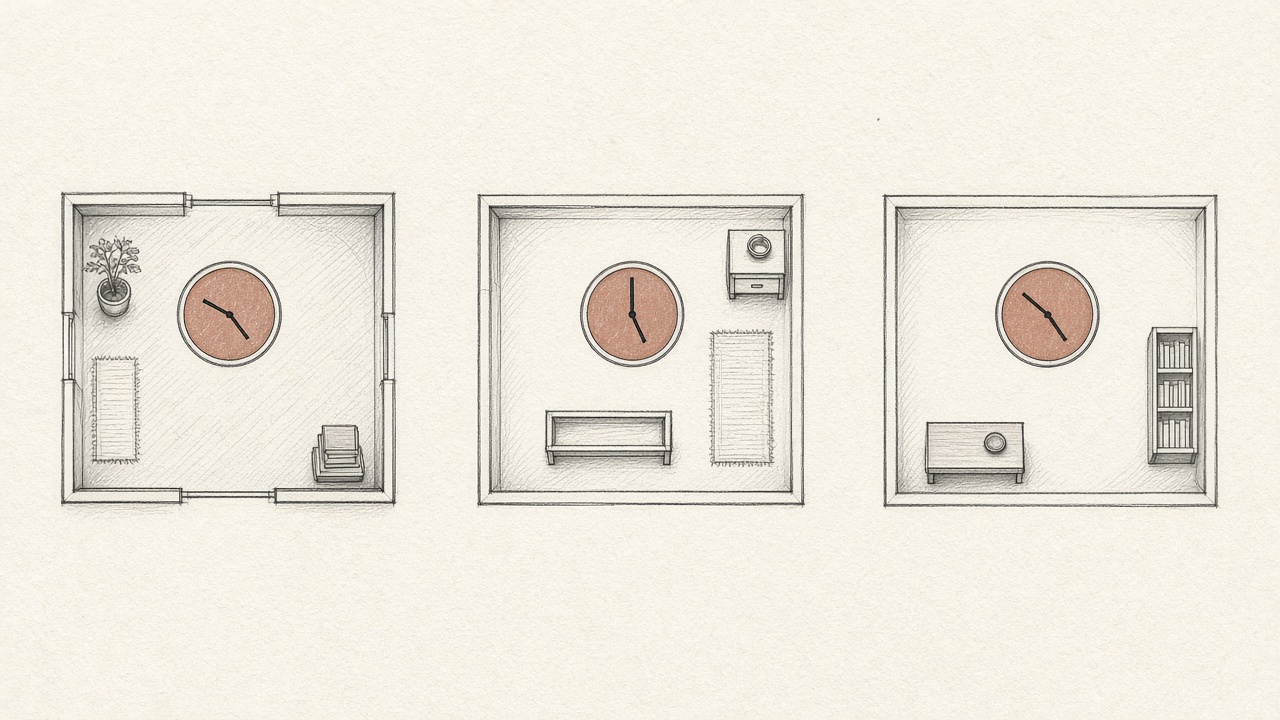
Three tools. Three clocks. One person, already gone.
## What an APM is good at
An APM is good at the request. The route, the duration, the status, the span, sometimes the frame. It answers whether the server was slow or wrong. It does not answer who was on the page, or what they had typed into the field that became the body. A trace without a person is [a stack trace](https://bugwalk.app/blog/stack-trace-is-not-the-bug) with better neighbors. Still a location. Still not a story.
APM views also drift toward the code you can reach now. The span was recorded against a deploy. If you jump to the file in your editor, you may be in a later commit. The release has to travel with the event, or the line number is a coordinate in a file that has moved. That is [the version that was live](https://bugwalk.app/blog/you-debugged-the-wrong-version).
## The failure crossed all three
Put a single checkout on the table. The person opened the cart, typed a coupon, and pressed Apply. That is the replay. The browser sent the code. The server looked it up, missed, and threw. That is the APM, and the log line if anyone wrote one. The coupon was never in the table. That is the code, at the commit that was deployed. No single room holds the sequence. The sequence is the product of walking between them with three clocks that do not match.
> You do not have a tooling gap. You have a walking-between-rooms gap.
The cost is not the licenses. The cost is the reconstruction. Every ticket becomes a small research project: find the log, find the session, find the trace, align the times, then doubt the file. The work is clerical. It feels like debugging because the last step is a line of code. The hour before that was alignment.
Naming the products does not close the gap. A better log search, a clearer replay, a faster trace: each improvement stays inside its room. You still leave the room to answer the question the person asked, which was why they could not finish. The join is the product. Until something holds the page, the request, and the line on one visit, you are the join.

One visit. The rooms can stay. The paper does not break at the door.
## One visit, one reason
Bugwalk records the page, the click, the request, the error, and the log on one timeline, for one person. [Events](https://bugwalk.app/docs/events) are those pieces. You search the email, open the visit, and read them in order. You are not exporting three tools into a spreadsheet to see if 16:04 in one product is 16:04 in another.
From that visit, an [investigation](https://bugwalk.app/docs/investigations) reads the timeline and the connected repositories at the commit the release reported. The report says what happened, why, how sure it is, and what to change. Every finding cites an event or a file and a line. If you want the change opened as a pull request, that is a separate step, and you still merge it. [What an AI debug engineer actually does](https://bugwalk.app/blog/what-an-ai-debug-engineer-does) keeps those limits in one place.
Keep the log tool, the replay, or the APM if they earn their place. Bugwalk is not a demand that you throw them out. It is the visit they were each holding a piece of. If you are adding it to an app, the [frameworks](https://bugwalk.app/frameworks) page and the [docs](https://bugwalk.app/docs) are the install, not this note. The install is a project key and one identify() call. The note is only the reason to bother.
## Questions
### How do logs, session replay, and an APM differ?
Logs are what the process wrote down. A replay is what the person did on the page. An APM is the request, the time, and often the frame. Each one is a room. A production failure usually crossed all three.
### Why is it hard to debug across those tools?
The timestamps do not line up, the person is missing from the log, the request is missing from the replay, and the file in your editor may not be the commit that ran. You spend the time joining rooms, not reading the cause.
### What does Bugwalk keep on one visit?
Page views, clicks, requests, errors, and logs, on one timeline per person after identify(). An investigation can cite the line in the commit that was live. You can still keep a log tool, a replay, or an APM beside that.
# You debugged the code on your screen
The failure remembers the commit that was live. The file in your editor may be a later one. Set the release, then read that commit.
Published 22 September 2026. https://bugwalk.app/blog/you-debugged-the-wrong-version
The file on your screen may not be the file that failed. You pulled this morning. The failure happened last night. You fixed a function that the running app has never called. The trace still matches a line number, and the line number now belongs to a different statement. You debugged a neighbor of the bug.
Bugwalk remembers which version was live when the failure happened. An investigation reads that commit, not whatever is on the default branch today, unless that is all it has. You set this by putting the git commit SHA in BUGWALK_RELEASE at build time. Without that, a report can describe the visit and still cite the wrong generation of the file.
## The file you have open
Editors feel like the product. The buffer is the code, the tests pass, the branch is the one you trust. Production is a commit you already pushed, built, and forgot. Between those two moments someone merged a refactor, a formatter moved a line, or you renamed the function you are staring at. The line number in the stack trace is a coordinate in a file that has since changed shape.
This is the ordinary way a short failure becomes a long one. You reproduce nothing, because you are exercising the new code. You add a log line, ship it, and wait for the next person to hit the old path. You were never looking at the failure. You were looking at its descendant.
Staging does not save you by default. A staging deploy is a different release, with a different SHA, and the person who wrote the ticket was not on it. Checking out the branch that staging built is still a guess about production. The visit has to name the release that served them. If you keep one project for production and another for staging, each one remembers its own commits. Mixing them is how a line that is fixed in staging gets cited for a production failure that never ran that build.
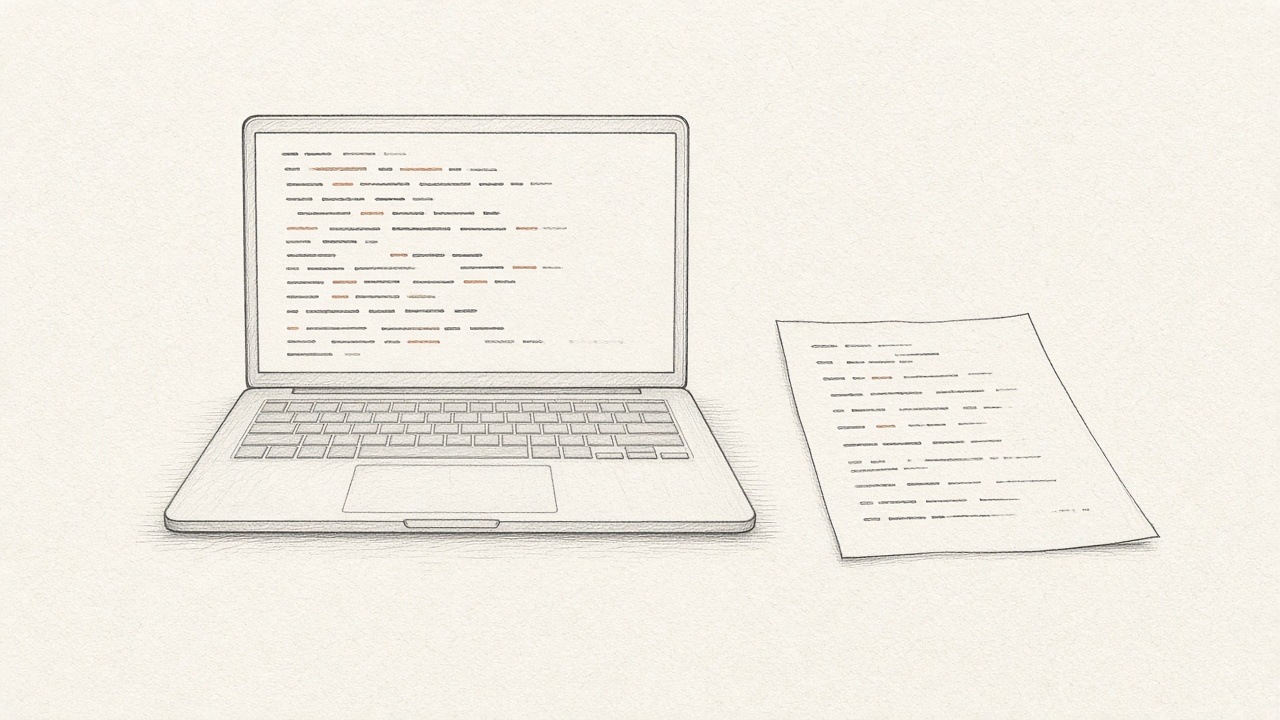
The editor and the failure are not required to agree.
## The version that was live
The version that matters is the one that served the request. Not the branch you have checked out. Not the pull request you meant to ship. Not the hotfix you are about to write on top of main. The commit that was built into the artifact that answered that person.
A release is that commit, tied to the events that happened while it was running. When the failure is stored with the release, you can open the file as it was, at the line the process actually reached. [GitHub](https://bugwalk.app/docs/github) on a project exists for this. An investigation can describe a timeline with no code at all. It can point at a line only if it can read the code that was deployed.
> Check out the commit that served the request. Then read the line. Not before.
## How a release gets remembered
In the build, set BUGWALK_RELEASE to the commit SHA. The same value belongs on the frontend build and the backend build when they ship together. Project, Repositories lists releases and shows the short SHA, or says there is no commit when the release could not be placed. A missing SHA is not a small warning. It means the next report may cite a file the failure never ran.
Connect the repository during setup, or come back to it when you want a report to cite a line. You pick the repositories the GitHub App may see. The connection belongs to the project, not to the whole workspace. A web app, an API, and a worker can all be attached to the same project. The agent reads the commit your release reported.

The release is a tag on the artifact, not a feeling about the branch.
## What to do before you edit
Before you change a line, answer which commit failed. If you cannot, you are editing a guess. Look at the release on the visit. If it is empty, fix the build so the next failure has one, and be honest that this failure does not. Do not paper over a missing SHA by reading main and hoping.
A short SHA on the visit is enough to check out. You do not need the whole history of the repo in your head. You need that one commit in the working tree, the visit beside it, and the humility to treat every other file on disk as unpublished. The people who hit the failure already ran the experiment. Your editor is not a second copy of production unless the SHA says it is.
Then read the visit, not only the file. The line is the end of a sequence: the page, the click, the request. [The stack trace is not the bug](https://bugwalk.app/blog/stack-trace-is-not-the-bug) if you only have the frame. The frame plus the wrong file is worse, because it feels like you have both pieces.
## The pull request is for that version
A qualifying [investigation](https://bugwalk.app/docs/investigations) can open a pull request on a new branch after it has read the deployed commit. The diff is against the code it was allowed to read, not against a story you told a chatbot about the file you happened to have open. It still cannot push to the default branch, comment, merge, or write to your database. Merging stays with a member of the workspace.
Review the diff against the failure, not against your taste. The question is whether this change answers the visit: this person, this request, this commit. If the release was wrong, the diff can be a clean edit to the wrong generation of the code. Set the SHA in the build before you trust the line numbers. The [install notes](https://bugwalk.app/docs/install) are where that variable sits next to the rest of the setup.
## Questions
### Why do line numbers lie after you pull?
A stack frame is a coordinate in the file that ran. Later commits move lines, rename functions, and change the statement at that number. The editor shows the file you have now. The failure happened in the file that was deployed.
### How does Bugwalk know which commit was live?
Set BUGWALK_RELEASE to the git commit SHA in the build. The visit keeps that release. An investigation reads the repositories you connected, at the commit the release reported, instead of the default branch today.
### What if the release has no commit?
The report can still describe the visit. It should not be trusted for a line number. Fix the build so the next failure carries a SHA. Do not guess from the branch you have checked out.
# The ticket that says it does not work
A ticket that says it does not work names a person, not a cause. Search the email they sent. The visit is the rest of the ticket.
Published 15 September 2026. https://bugwalk.app/blog/the-ticket-that-says-it-does-not-work
A ticket that says it does not work is not an empty ticket. It names a person. The sentence they wrote is almost useless. The address they sent it from is the start of the investigation. Search that email. If the visit was recorded, you can see what they did, what your app did, and where it failed, without asking them to try again.
Bugwalk is an AI debug engineer for that visit. After identify() is called with an id or an email, page views, clicks, requests, errors, and logs stay on one timeline for that person. You start from the person who got stuck, not from an error that has no name on it.
## What the ticket actually contains
Read a hundred of these and the sentences repeat. It does not work. The button does nothing. I tried again. Can you check? The useful facts are hiding in the header: who wrote, when they wrote, and sometimes which account they were in. The body is a mood. The header is an id.
The usual reply asks them to reproduce it. What page were you on. What did you click. What did you expect. Did you try another browser. Those questions are an attempt to rebuild the visit from memory, after the visit is over. People remember the stuck part. They forget the three steps before it. They will not remember the request your server rejected. You are interviewing a witness about a timeline you could have recorded.
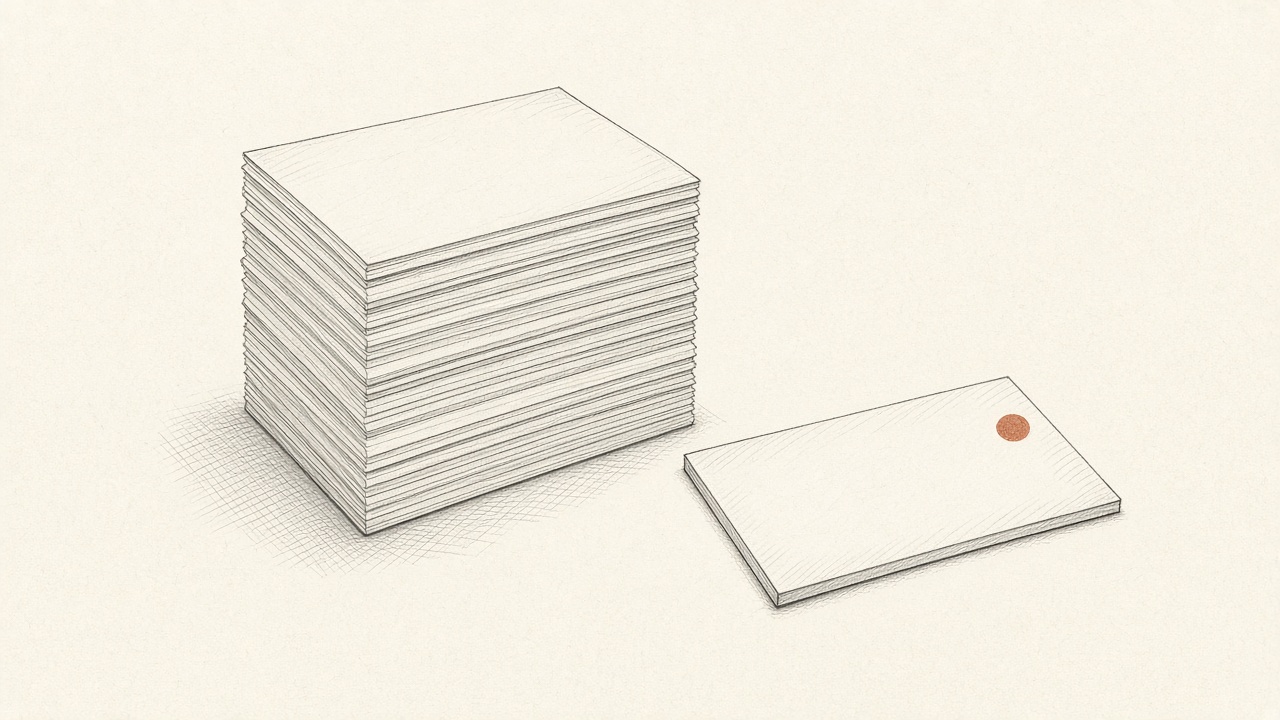
The sentence is the same on every card. The address is not.
## Start with the email
Copy the email off the ticket. Search it. [Search](https://bugwalk.app/docs/search) takes an email or an id. A prefix is enough when that is all you can read. The person, once identified, keeps the visits that happened before the ticket and the ones that happen after. You do not need a new report from them to see the failure they already hit.
This only works if identify() ran when you knew who they were. One call after sign-in is enough. Events before that call join the same person. Backend requests during the visit attach when the browser SDK is present. If you never identify anyone, you have a pile of anonymous sessions and the email on the ticket matches nothing. The fix is in the app, at the moment you learn the id, not in the support queue.
Background work is a different path. A cron or a queue should not call identify() with a made-up id. That creates a person who is not a person. The docs on [journeys](https://bugwalk.app/docs/journeys) are the place for the visit you can open from search. The install docs cover withWork and forPerson when the work is not a signed-in visit.
## The visit is the ticket
Open the visit and read it in order. The page they were on. The click. The request. The status. The error. The log line written next to it. That sequence is what the ticket was trying to say, without the memory and without the mood. You can answer them with the page and the failure, instead of with a request to try once more while you watch.
One person has more than one visit. The ticket usually points at the latest one that failed, not at the whole history. Read that visit first. Then look at the one before it, if they tried twice, and at the issue if other people hit the same error. The history is how you tell a one-off from a cause. A single angry sentence cannot tell you that. The timeline can, because the attempts are still there after they closed the tab.
> Stop asking them what they clicked. Open the visit and see the click.

One email. The rest of the pile can wait.
The same failure, seen across people, belongs on an [issue](https://bugwalk.app/docs/issues). An issue groups events that share an error fingerprint, so you fix a cause once and you can see who else hit it. The ticket felt personal. The issue shows whether it was only them. Both views are the same events. One starts from the person. One starts from the error.
## What you can stop asking them
You can stop asking which page, if the visit has the page. You can stop asking them to reproduce, if the failure is already on the timeline. You can stop asking for a screenshot of an error message you already stored. You still write back. The reply can say what failed and what happens next, which is a different letter from the one that asks them to become your logger.
You cannot stop asking when the visit is not there. A person who never signed in, a browser with the SDK blocked, a mobile webview you do not instrument: search returns nothing, and the ticket is all you have. Say so. Do not invent a session to make the queue look finished. A missing visit is a fact. The next step is to record the next one, or to ask the one question the timeline cannot answer.
## When there is no email
Some reports arrive with an id, an account number, or a name your app already stores. Search that. Some arrive with nothing but a trace pasted into chat. Then you are back to [the stack trace](https://bugwalk.app/blog/stack-trace-is-not-the-bug): a line, and no person. Ask for the email or the id before you ask them to tell the story again. The story is the expensive part. The address is the cheap part.
When the visit is open, an [investigation](https://bugwalk.app/docs/investigations) can read it and the code that was live. That is the point where a ticket becomes a cause, and sometimes a pull request. Until then, the job is smaller than it looks. Find the person. Open the visit. Read what they did.
## Questions
### What should you do when a customer says it does not work?
Search the email or id they already sent. If the app called identify(), their visit is there: the page, the click, the request, and the error. You do not have to ask them to reconstruct it from memory.
### Why does the ticket text not help?
The sentence is usually a mood: it does not work, the button did nothing, they tried again. The useful fact is who sent it. The visit holds the sequence they will not remember.
### What if search finds no one?
Then the visit was not tied to that email or id. identify() has to run when you know who they are. A missing person is a fact. Do not invent a session to close the ticket.
# The stack trace is not the bug
A stack trace names the line that threw. It does not name the person, the click, or the request. Here is what to read instead.
Published 8 September 2026. https://bugwalk.app/blog/stack-trace-is-not-the-bug
A stack trace names the line that threw. It does not name the person who got stuck, the click that led there, or the request your app made on the way. That is why a production failure can sit in front of you as a perfect frame and still take the afternoon.
Bugwalk is an AI debug engineer. It keeps what a person did, what your app did, and the error on one visit, then points at the line that was live. The report cites an event or a file and a line. If the proof is thin, the report says so. A later step can open a pull request on a new branch. You review it. Nothing merges until you say so.
## What a stack trace names
A frame is a file, a function, and a line. Sometimes it is a message. If the exception is honest, that line really did throw. The trace is not lying. It is answering a narrower question than the one you have.
The question you have is why this person could not finish. The trace answers where the process stopped. Those are different questions. Say the failure is a coupon the discount table does not know. Checkout throws inside applyDiscount. The frame shows that function. It does not show the code they typed, the form that accepted it, or the request body that carried it through. The line is true. It is not the story.
Read the frame first. Then notice what it refuses to say. It will not say which page was open. It will not say what was clicked. It will not say which request failed, or what that request sent, once secrets are gone. It will not say whether twelve other people hit the same line this morning or whether this is the only one. A precise location with no map still leaves you lost.
## What it leaves out
The missing pieces are ordinary. Someone was on a page. They typed, they clicked, they waited. Your app made a request. The request failed, or a later line threw because of what came back. A log line may have been written beside it. The version that was running may not be the version in your editor. None of that is in the trace. You already know this, because the next move is always the same: open the logs, open the page, open the file, and hope the times line up.
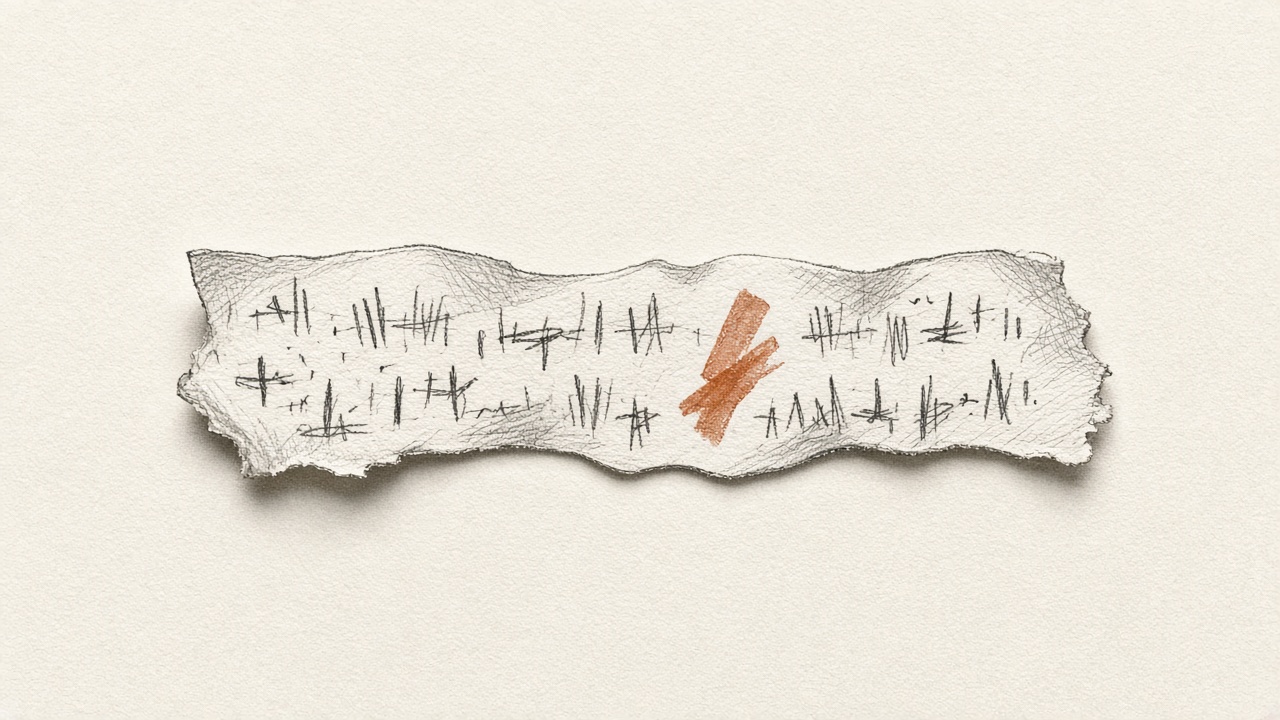
The frame is exact. It is also alone.
Teams treat the trace as the whole document because it looks complete. It has a file. It has a number. It looks like evidence. Evidence of where the process stopped is not evidence of why this person got stuck. If you only paste the trace into a chat and ask for a fix, you are asking a model to invent the visit. It will. The invention can even compile. It is still a guess about a person it never saw.
## The three places you open next
Logs show what the process wrote down. They are good at a message and a time. They are bad at a person, unless someone remembered to log an id, and bad at the page, unless that was logged too. A line that says the coupon was not found is a clue. It is not the visit. You still have to find the request, then the person, then the page they were on when they sent it.
The page, or a recording of it, shows what they did. It does not show the query your server ran, or the line that threw after the response came back. A click on Apply is not the failure. The failure is why Apply could not finish. Watching the click again tells you the gesture. It does not tell you the row that was missing.
The code shows the line you have open. It may not be the line that ran. If you shipped this morning and the failure was last night, you are reading a file the failure never saw. That mistake has its own note: [you debugged the code on your screen](https://bugwalk.app/blog/you-debugged-the-wrong-version).
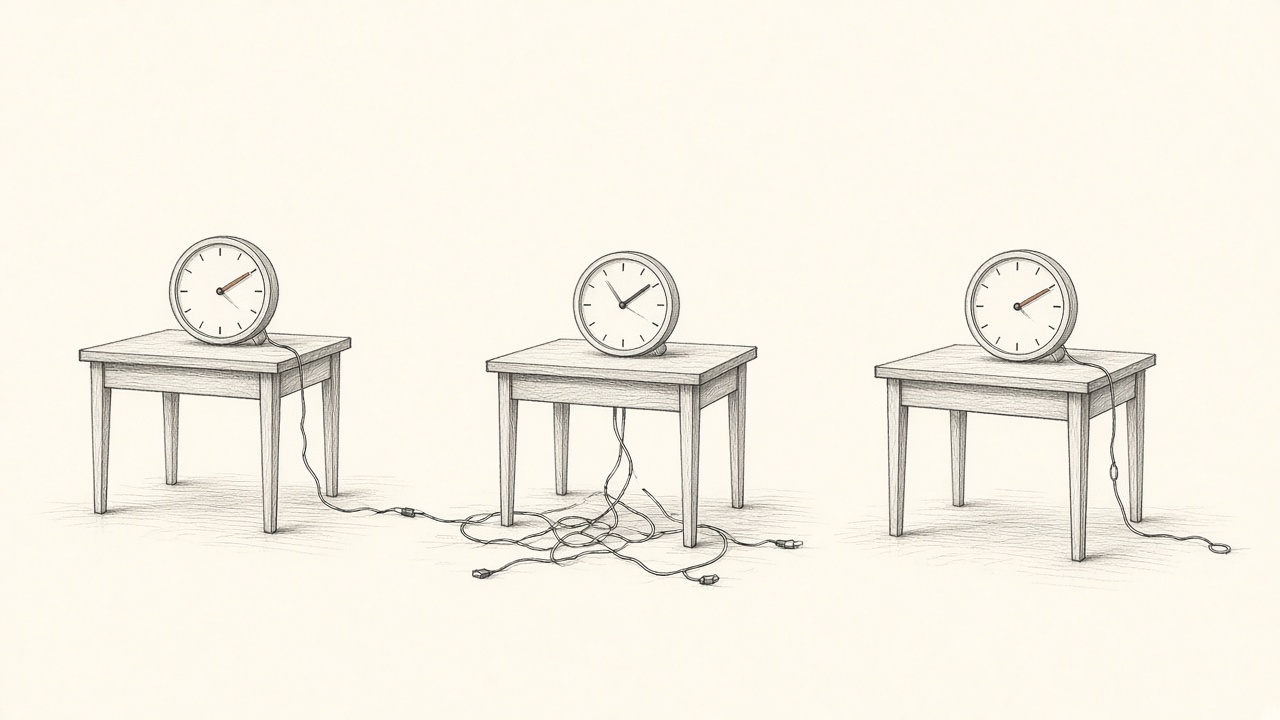
Logs, the page, and the code. Three clocks, one failure.
> The trace did not put the story together. You do, by hand, every time someone says it broke.
## What to ask instead
Ask four questions, in this order. Who got stuck? An email or an id is enough. If the only thing you were handed is a trace with no name on it, you are starting from the wrong end. What did they do? The page, the click, the field. Not a paraphrase from a ticket. What did the app do? The request, the status, the error, the log line written beside it. Which version was live? The commit that actually ran, not the branch you have checked out because it is Tuesday.
When those four have answers, the line in the trace becomes useful. Before that, it is an address with the street missing. The ticket that only says it does not work is the same gap, seen from the other side. That one is [the ticket that says it does not work](https://bugwalk.app/blog/the-ticket-that-says-it-does-not-work).
## How Bugwalk answers
Bugwalk records page views, clicks, requests, errors, and logs on one timeline per person, after you call identify() with an id or an email. A failure stays on that visit. Search the email they already sent you and the visit is there. The [events](https://bugwalk.app/docs/events) are the pages, the clicks, and the requests. [Search](https://bugwalk.app/docs/search) starts from the person, not from a frame that has no name on it.
An [investigation](https://bugwalk.app/docs/investigations) reads that timeline, other visits that look the same, and the repositories connected to the project. It cites the commit your release reported, not whatever is on the default branch today. Every finding points at an event id or a file and a line. A finding with no citation is marked that way, on purpose. Low confidence is shown, with the reason. Treat that report as a lead.
If you want the change written, a qualifying report can open a pull request on a new branch. It cannot push to the default branch, comment, merge, or write to your database. You decide when it merges. The trace is still there. It is no longer the whole document. [What an AI debug engineer actually does](https://bugwalk.app/blog/what-an-ai-debug-engineer-does) is the longer version of that step.
## Questions
### What does a stack trace leave out?
It leaves out the person, the page, the click, the request, and the version that was live. It names the line where the process stopped. It does not explain why that person could not finish.
### Why is a stack trace not enough to debug production?
Production failures cross the page, the request, and the code. Those three rarely share a clock, and the file in your editor may not be the file that ran. A frame is one of those pieces, not the visit.
### How does Bugwalk use a stack trace?
The error stays on the visit, next to what the person did and what the app did. An investigation can cite the line in the commit that was deployed. The trace is evidence. It is not the whole answer.
---
# Privacy policy
What Bugwalk stores when you use the hosted product, who else handles it, and how long it stays.
This page covers the hosted product at bugwalk.app. It describes your account, the events your app sends, and the code we read when you connect a repository. If you self-host, the data stays on your infrastructure and this page does not apply.
Updated 5 October 2026.
## Two kinds of data
We hold data about you, the member with the account, and data your app sends about the people who use it. A person is someone in your app. A member is someone on your Bugwalk workspace.
## Your account
We store the email you sign up with, an optional name, and your GitHub login if you connect GitHub. A password is stored only as a bcrypt hash. We never keep the password itself. An account created with a magic link or GitHub can have no password at all.
## The session
The dashboard session is an httpOnly cookie. In production it is marked Secure, and SameSite is Lax. The token is not stored in localStorage. Ingest from your app does not use that cookie. It uses a write-only project key, and it accepts no credentials.
## What your app sends
The SDK records page views, clicks, HTTP requests, errors, and log lines from a visit, on one timeline. If you call identify(), that timeline is attached to the id or email you already have for that person. If you do not call identify(), the visit stays on a session id. Background work uses the same id and email when you call forPerson(). A cron or queue with no person stays on a session id.
You choose what is sent. You can sample, filter, or add your own redaction rules before a batch leaves your app.
## Secrets
The SDK removes secrets inside your app, before an event is queued. Those rules cannot be turned off. Authorization and cookie headers are dropped. Field names such as password, secret, token, and card number are dropped. Known private keys, JWTs, and card numbers found inside a string are replaced. A value that matches never reaches Bugwalk.
The SDK does not read form field values, other than the visible text of a clicked button or link. It does not read localStorage, sessionStorage, IndexedDB, keystrokes, or environment variables. Request and response bodies are sent only if you opt in, only as JSON, and only up to 8 KB. The same rules still run.
Email addresses are kept when you send them. Naming a person by email is what identify() is for. Project, Privacy drops any extra field names you list, before they are stored.
[Full list of redaction rules](/docs/privacy)
## Repositories
Bugwalk can pull the repositories you chose, run their tests, create one branch, and open a pull request. It cannot push to the default branch, comment, merge, or write to your database. A qualifying report can open a pull request on its own within the monthly allowance. After that, a member can ask from the report. Merging stays yours. Disconnect the repository, or uninstall the app, and that access stops.
## Investigations
An investigation reads the session and, when a repository is connected, the code around the failing line. That evidence is sent to the model provider configured for the product, OpenAI unless another provider is set, so it can write the report. The report is stored with the issue so it can be read again.
We do not use your repositories or your customers’ sessions to train a model of our own.
## Payment
Paid plans are billed through Polar. Bugwalk does not store your card number. Polar stores the payment method and tells us the plan, the status, and the period.
## Email
We send mail through Resend: magic links, billing notices, and the messages the product says it will send. We do not sell your email address, and we do not send marketing you did not ask for.
## How long we keep it
The product shows history for the days on your plan: 30 on Pro, and 90 on Team. A workspace already on Free keeps 3 days. Events are deleted by month. A month is deleted after every day in it is older than that window, so a visit can remain stored for the rest of its month plus the plan window. It is not kept longer than that.
Account records, issues, and investigation reports stay while the account is open. They are not on the event clock.
## Who else handles it
We use these companies to run the hosted product. Each one receives only what that job needs.
- Supabase holds the Postgres database.
- Fly runs the API.
- Cloudflare serves the website.
- Polar handles payment.
- Resend sends email.
- Crisp runs the support chat. It receives what you type into the chat and, when you are signed in, your name and email.
- GitHub, when you connect a repository.
- OpenAI, or the model provider configured in its place, receives the evidence an investigation needs.
## How we protect it
The hosted site and API are served over HTTPS. On top of that:
- Secrets are stripped in your process, before they reach us.
- Passwords are hashed with bcrypt. We cannot read them back.
- The session cookie is httpOnly, so a script on the page cannot read it.
- The dashboard API accepts signed-in requests only from the Bugwalk web origin.
- GitHub access is limited to the repositories you grant. Bugwalk can open a pull request on a new branch. It cannot push to the default branch, comment, merge, or write to your database.
- The server is open source, and self-hosting is coming soon for teams who want every byte on their own machines.
## What you can do
Skip identify() and people stay anonymous. Add redaction rules, or do not send a field. Disconnect a repository, or uninstall the GitHub App. Self-hosting is coming soon if you want the data on your own infrastructure.
Email [email protected] to delete the account and the workspace data we still hold, or to ask for a copy of the account record. Event history already expires on the schedule above.
## Children
Bugwalk is a tool for teams building software. We do not aim it at children, and we do not knowingly keep an account for anyone under 16. If you believe we have one, email [email protected] and we will delete it.
## Changes
If this page changes, the date at the top changes with it. If a change takes more data than we take today, we email the account before it applies.
## Contact
Questions about this page go to [email protected]. The rules for using the hosted product are on the Terms page.
---
# Terms
The rules for using the hosted Bugwalk product: accounts, data, plans, and ending it.
These terms cover the hosted product at bugwalk.app. Creating an account, or sending events to hosted ingest, means you agree to them and to the Privacy page. The Apache 2.0 license on the SDKs and the server is separate, and these terms do not change it.
Updated 5 October 2026.
## What you agree to
You are agreeing for yourself, or for the company whose account you are opening. You need authority to do that, and a real email you control.
## The service
Bugwalk records events from your app, keeps a timeline per person, and can run an investigation that reads that timeline and the repositories you connect. We provide the hosted service as it runs today. An investigation can be wrong. Read the citations before you act on a report.
## Your account
Keep the password to yourself. You are responsible for what members of the workspace do with it. Do not share a login. If you think someone else has it, change the password and email [email protected].
## Data from your app
You decide what your app sends. You are responsible for telling the people who use your app that visits are recorded, and for having the right to send that data to Bugwalk. Do not send data you are not allowed to share.
You keep your code, your events, and your customers’ data. We use them to run the product for you: to store the timeline, to show it to your members, and to write an investigation when you ask. The Privacy page says how that works and how long it stays.
## Acceptable use
Do not use Bugwalk to break the law, to probe systems you do not own, to store malware, or to send data you have no right to send. Do not interfere with another workspace, or try to get past a plan limit by abusing the API.
We can suspend an account that does this. We email you when we can do so without making the problem worse.
## Repositories
Connecting GitHub lets Bugwalk pull the repositories you select, run their tests, create one branch, and open a pull request. That grant ends when you disconnect the repository or uninstall the app. Bugwalk will not push to the default branch, comment, merge, or write to your database.
## Plans and payment
Pro and Team are billed monthly through Polar, per project: each project has its own plan. A 3-day trial asks for a card so the plan can continue without a gap. You are not charged until the trial ends. A project that reaches its included usage pauses until the period resets or it moves to a larger plan, and is not charged extra. A missed payment pauses recording for that project. Bugwalk does not store your card number.
You can change or cancel the plan from Account. A change is prorated for the rest of the period. Fees already due stay due. Polar may add tax where it applies.
## Uptime and investigations
We run the hosted service with care. We do not promise it will be up at every moment. Enterprise can add an SLA in a separate agreement. Self-hosting is coming soon if you would rather run the server yourself.
## Closing an account
You can stop by canceling the plan and emailing [email protected] to close the account. We delete the account and the workspace data we still hold, except records we must keep for tax or for a dispute that is already open.
We can close an account that breaks these terms, or that we cannot keep serving. We email the account when we do.
## Your code stays yours
You keep the rights to your code and your data. We keep Bugwalk: the hosted product, the site, and the name. Feedback you send us can be used to improve the product, with no obligation to pay for it.
## Liability
To the extent the law allows, Bugwalk is not liable for lost profits, lost data, or indirect damage arising from the hosted service. Our total liability for a claim about the service is limited to the fees you paid us for it in the three months before the claim. This does not limit liability the law says we cannot limit.
## Changes
We can update these terms. The date at the top changes when we do. If a change reduces what the plan includes, or takes new rights over your data, we email the account before it applies. If you keep using the hosted product after that, the new terms apply.
## Contact
Write to [email protected]. If something is wrong, start there and we will try to sort it out before anyone calls a lawyer.